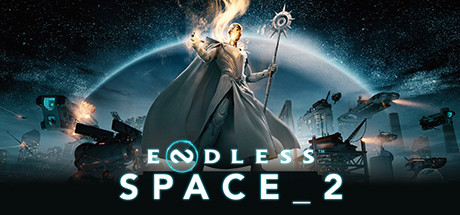
ENDLESS™ Space 2
현재 가격
10,750원(-75%)
실시간 동접자
510명
리뷰평가
63%
?
찜한 게임은 나중에 마이페이지에서 모아볼 수 있으며, 향후 할인 시작 시 알림을 보내드립니다!
실시간 트랜드
지난 24시간 / 15분 간격스팀 리뷰
👎
비추천
전체 78.2h
기록 시점 46.1h
POSTED: 12/25/2025
게임을 설치했는데 게임이 실행이 안되요!!
👍 도움됨 0
👍
추천함
전체 249.2h
기록 시점 152.4h
POSTED: 8/5/2018
꽤나 많은 시간 플레이 해보고 나름대로 분석적으로 평가해봅니다.
장점
1. 4x 게임 답게 여러가지 요소를 잘 조합해 놓았습니다. 게임 자체의 볼륨은 제값을 주고 사더라도 아깝지 않습니다.
2. 인터페이스가 매우 깔끔 합니다. 딱히 창의적인 방식은 아니지만 어찌됐든 간단명료하고 세련되었기 때문에 번잡하지 않습니다. 폰트 크기나 종류도 적절절합니다.
3. 저사양 4x 게임 내에서 유려한 그래픽을 보여줍니다. 앞서 말한 인터페이스도 한 몫 합니다.
4. ost는 세계 최고급입니다. 너무 격하지 않게 우주의 신비로움을 음악으로 적절히 표현한 것 같습니다. (신규 세력 히쇼의 테마음악은 일품입니다. 추가 ost를 구매하면 더 풍성해지니 추천합니다)
단점
1. dlc를 통해 볼륨을 늘리려는 부분은 여타 게임과 같습니다. 하지만 여기서 퀘스트 관련 부분들이 계속 업데이트 되면서 퀘스트의 종류나 임팩트가 다소 번잡해졌습니다. 특히 아카데미 퀘스트의 밸런스 혹은 컨텐츠가 재조정될 필요가 있어 보입니다. (지루하고 귀찮거든요)
2. 과학과 관련된 테크트리가 재조정될 필요가 있어 보입니다. 어떤 승리 테크를 타느냐에 따라 다르겠지만 게임 중후반에 지루해지게 만드는 부분들이 있습니다. LOL로 따지면 무대검 나올떄까지의 딜로스가 상당히 큰것같이 공허한 부분들 떄문에 게임이 늘어집니다.
3. 승리와 승리조건에 대한 임팩트가 없습니다. 문명같은 경우 문화승리 혹은 과학승리 등의 테크를 탐에 따라 게임하는 방식부터 도시 자체의 외관적인 요소가 조금이나마 변화가 있기에 직관적으로 각 테크트리의 특징이 드러나게 됩니다. 하지만 이 게임의 특성상 그런게 전혀 없습니다. (승리했을때 조차 별다른 엔딩없이 끝나거든요)
4. 각 팩션 간의 밸런스 혹은 컨텐츠의 재조정이 필요합니다. 특정 팩션들은 꿔다 노놓은 보릿자루 마냥 꺼내보지도 않게 됩니다. 다시 말해 각 팩션 간의 재미진 특성들이 잘 드러나지 못하고 있습니다.
저와 다른 의견을 가지신 분들이 많겠지만 어디까지나 개인적인 견해입니다. 결론적으론 돈주고 살만한 가치는 있습니다. 하지만 간헐적으로 꺼내 보게 되는 게임인 것은 사실입니다. 재미는 있으나 늘어지는 게임의 특성상 재밌는 부분까지 가는게 귀찮아서 자주 하지는 않게 됩니다.
👍 도움됨 90
👍
추천함
전체 126.4h
기록 시점 71.5h
POSTED: 3/4/2020
치트키가 있습니다.
라이브러리에서 엔드리스 스페이스를 우클릭 한 후에 속성 -> 시작 옵션 설정에서 --enablemoddingtools 를 입력해 줍니다.
그리고 나서 게임을 실행하면
Shift+F1 디버그 메뉴 오픈
Shift+F2 모든자원 많이 많이
Shift+F3 모든맵 드러남
그리고 G 버튼을 게임중에 누르게되면 보라색 커서로 바뀌면서 이 상태에선 뭐든 클릭하면 자원이 증가하거나 기술이 바로 완료되거나 짓고잇는 도중의 건물을 클릭하면 1턴후 완료로 바뀌거나 하는식으로 변경욉니다.
G를 눌러 보라색 커서일때는 Shift,Control 혹은 Alt 키를 각각 누른 상태로 클릭하면 다른 효과또한 나옵니다.
이하는 원문
Cheat Console Command
The game doesn't have a console to input command but if you enable the modding tools in the launch options of the game with the command --enablemoddingtools , you can get access to various debug features.
Once the modding tools are enabled, you can use the debig features in-game:
Shift+F1 opens a debug menu
Shift+F2 gives you a lot of all resources
Shift+F3 reveals the map
Pressing G activates the "god cursor" that you can then use to click various elements (resources, ships, gauges etc...) to modify (often increase) their values. Holding Shift, Control or Alt may results in different effects (such as reducing or maxing out values)
치트를 사용하지 않는다면 좋든 싫든 초반에 공격적으로 가거나 하는식으로 정해진 초반빌드를 따라 가야 합니다.
그렇기에 자신만의 컨셉과 설정을 정해서 하고 싶다면 치트를 쓰세요
원행성 플레이, 절대 먼저 선공 안하기, 무조건 선전포고 하기
과안 연구 안하는 소폰, 평화주의자 크레이븐, 당당하게 드러내고 다니는 그림자
영향력 없는 제국 , 돈 안뽑는 개구락지 등
여러 컨셉으로 할때는 치트키를 이용하시는 것이 좋습니다.
👍 도움됨 81
👎
비추천
전체 0.0h
기록 시점 0.0h
POSTED: 1/9/2025
멍때리면서 우주선이 빔 뿅뿅 쏘고, 맵 밝히는거 불멍때리듯이 보기 좋은게임.
그리고 가면 갈수록 뻔하고, 해킹이 갮씺밦샚낎 같이 느껴지는 게임.
^^1발아 음습하게 쳐 숨어서 해킹만 하지 말라고 좀
👍 도움됨 3
👍
추천함
전체 4.3h
기록 시점 4.3h
POSTED: 11/29/2025
20시간밖에 안해보고 남기는 평이지만 진짜 이만한 우주 전략 게임도 없음; 진짜 게임 잘만듬
👍 도움됨 0
사이트 리뷰
아직 등록된 사이트 리뷰가 없습니다.
💬
이 게임에 대한 유저들의 생각은 어떨까요?
로그인 후 소중한 의견을 공유해보세요.